
Developers
June 18, 2026
Sending SMS with Java using the SMSFlow API
Sending SMS with Java using the SMSFlow API
SMSFlow provides a powerful and easy-to-use REST API that enables developers to seamlessly send SMS messages directly from their applications and enterprise systems. Whether you are building notification services, customer engagement platforms, authentication systems, or marketing campaigns, SMSFlow simplifies the process of integrating reliable messaging capabilities into your software.
In this comprehensive guide, we’ll walk through the complete process of authenticating with SMSFlow, securely retrieving a bearer token, and sending bulk SMS messages using Java.
We’ll also explore how Java developers can structure their API requests efficiently, handle authentication responses, and implement scalable SMS delivery workflows. By leveraging Java for SMS integration, teams can build robust communication solutions with minimal setup while maintaining high performance and security standards.
Throughout this tutorial, Java will be used to demonstrate practical examples, showcase API interaction techniques, and illustrate how Java applications can efficiently communicate with the SMSFlow platform in real-world production environments.
Prerequisites
Before you begin, make sure you have:
- An SMSFlow account
- Your ClientID
- Your ClientSecret
- Java 17 or later
- Maven or Gradle
- Jackson Databind for JSON serialization
SMSFlow API Endpoints
SMSFlow uses token-based authentication. You first request an authentication token, then use that token when sending SMS messages.
Authentication endpoint

This endpoint returns a token that must be used in the Authorization header for later requests.
Send messages endpoint

This endpoint sends one or more SMS messages to a list of contacts.


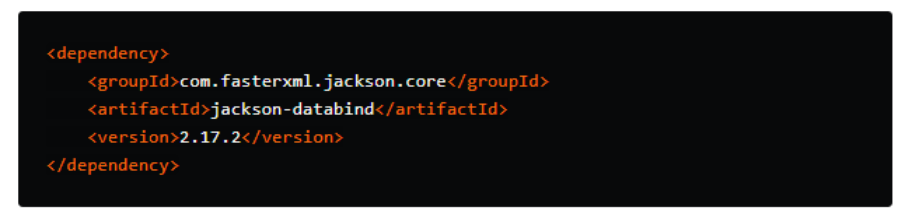
Step 1: Add the Jackson Dependency
SMSFlow communicates using JSON, so we’ll use Jackson for serialization and deserialization.
Maven
Gradle

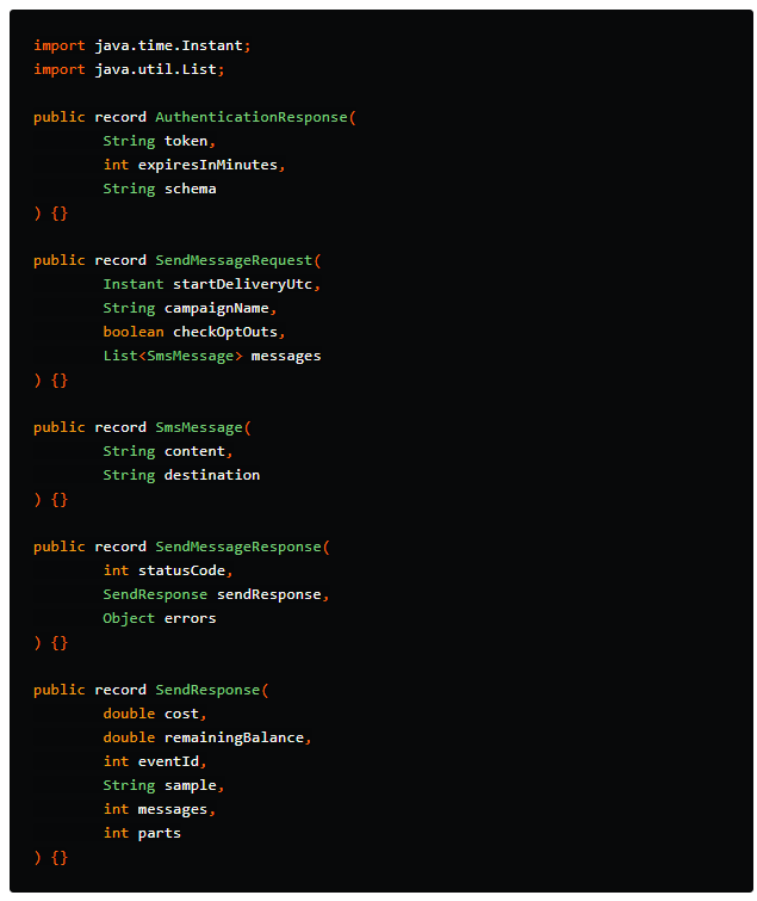
Step 2: Create the Java Models
First, define the request and response models.
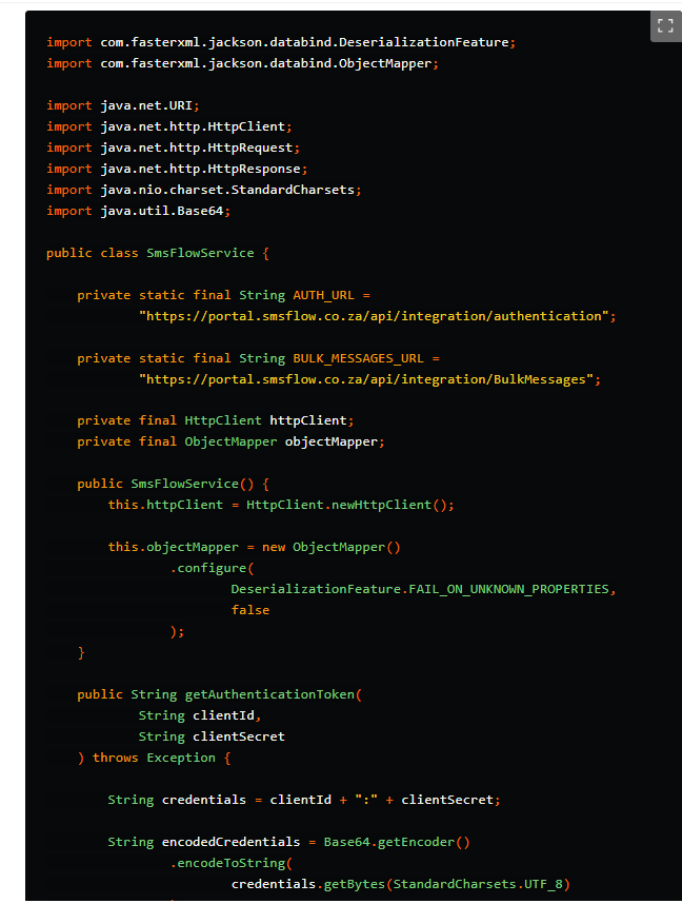
Step 3: Authenticate with SMSFlow
The authentication request uses your ClientID and ClientSecret.
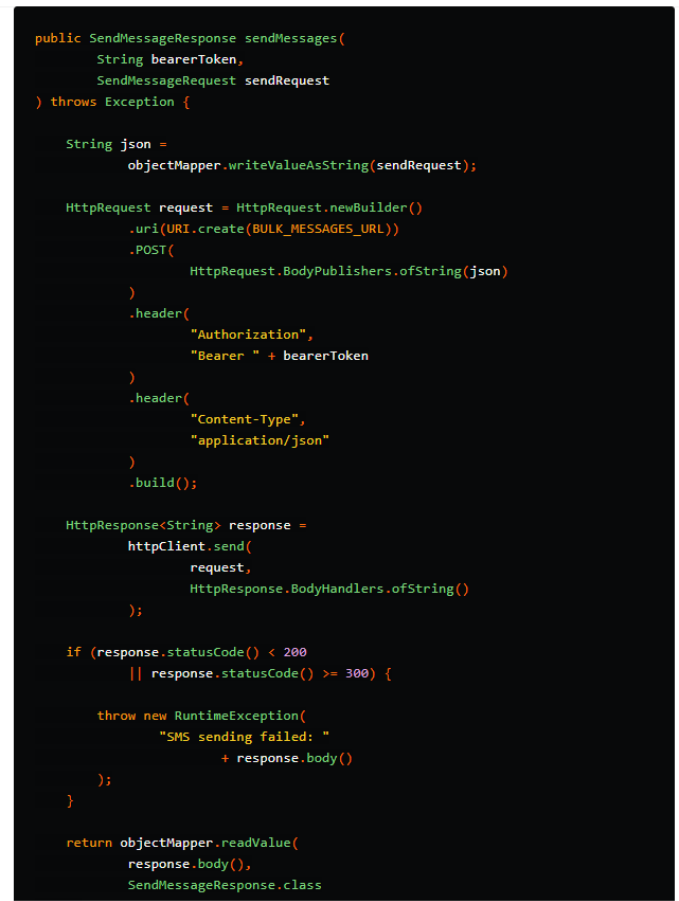
Step 4: Send an SMS Message
After receiving the token, use it as a bearer token when calling the bulk messages endpoint.
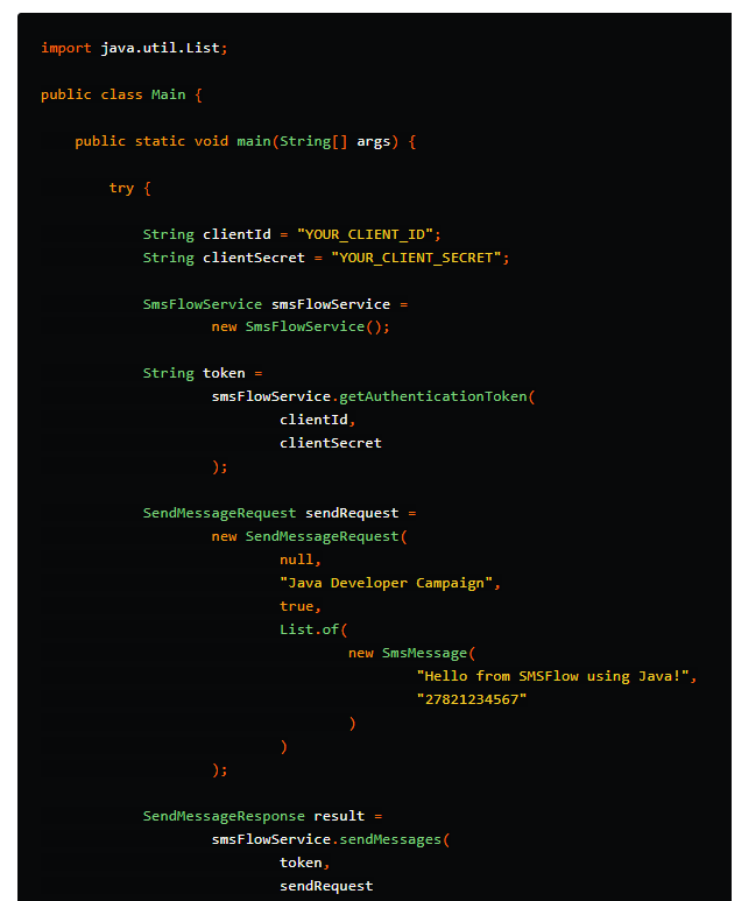
Step 5: Full Working Example
Here is a complete example showing authentication and message sending together.
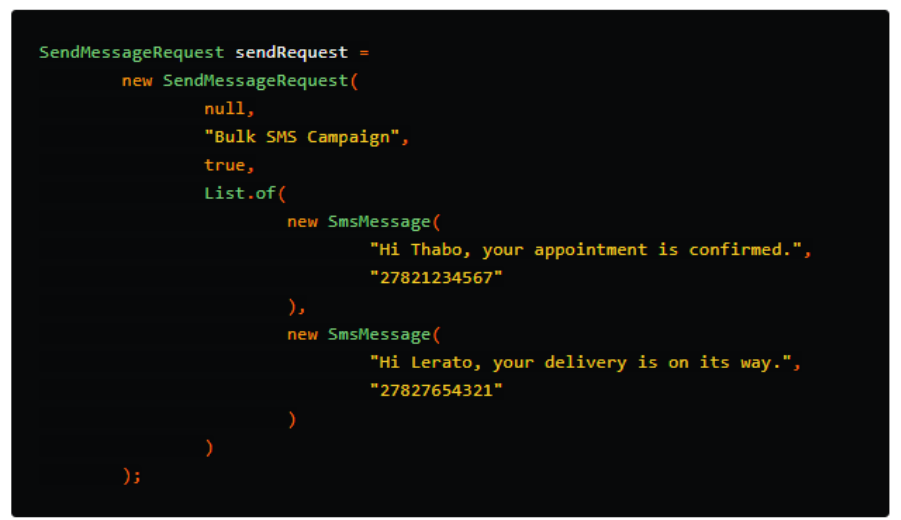
Sending Multiple Messages
The messages list allows you to send SMSes to multiple recipients in one request.
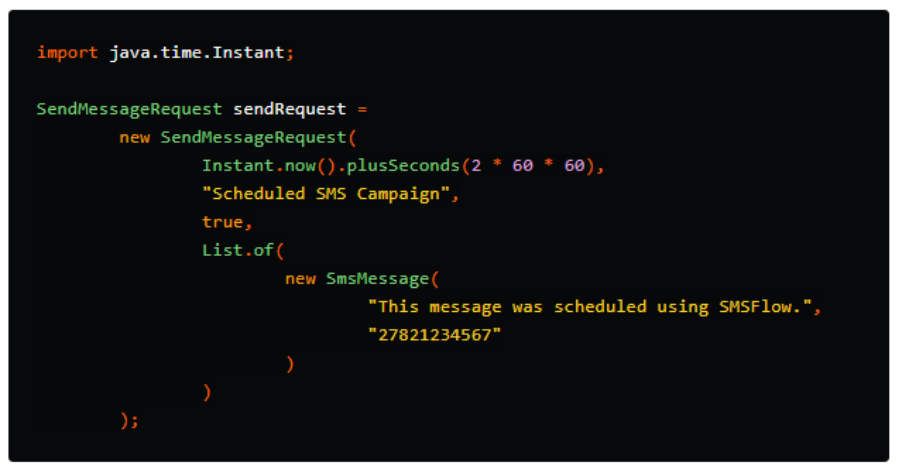
Scheduling SMS Delivery
To schedule SMS delivery, provide a UTC date and time using Instant.

Example:
Handling Opt-Outs
The checkOptOuts field determines whether SMSFlow should check if a recipient has opted out.

When set to true, SMSFlow will not send messages to contacts marked as opted out.
Error Handling
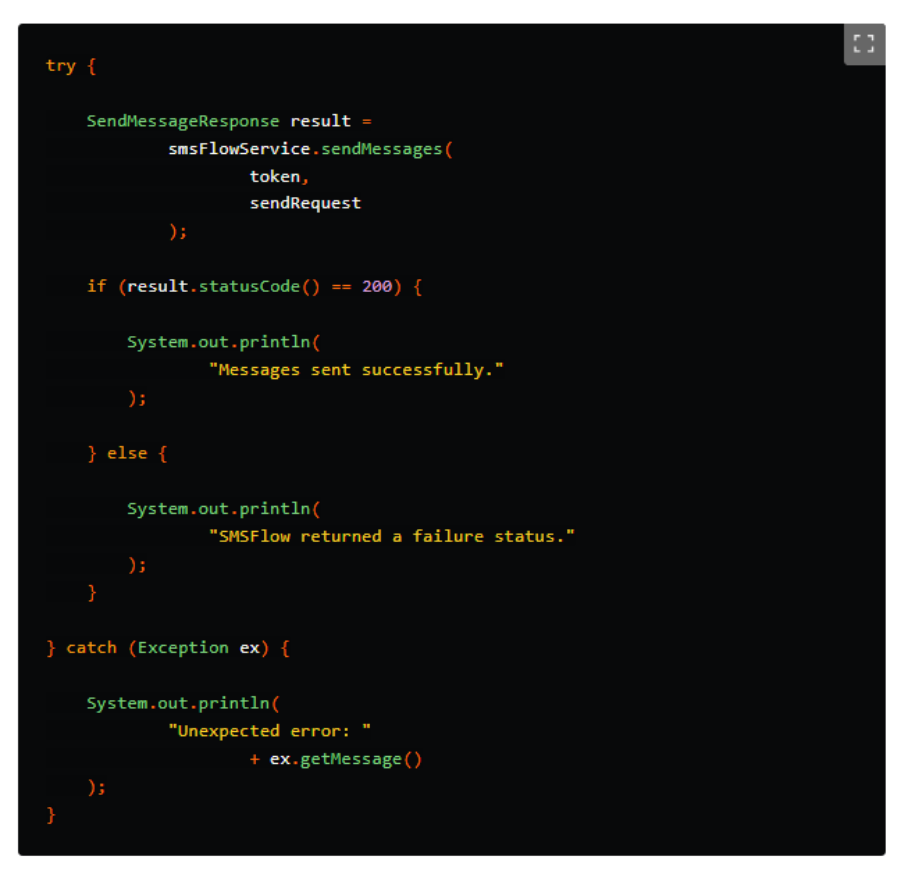
Always wrap API calls in a try-catch block so your application can handle failed requests gracefully.
Best Practices
When integrating SMSFlow into a Java application:
- Store your ClientID and ClientSecret securely.
- Do not hardcode credentials in production code.
- Use environment variables or a secure secrets manager.
- Always use UTC when scheduling messages.
- Set checkOptOuts to true unless there is a specific reason not to.
- Log failed requests for troubleshooting.
- Validate mobile numbers before sending messages.
Conclusion
The SMSFlow API makes it easy to send SMS messages from a Java application. By authenticating with your ClientID and ClientSecret, retrieving a bearer token, and posting a message batch to the bulk messages endpoint, developers can quickly integrate SMS communication into their systems.
Whether you are sending appointment reminders, delivery updates, marketing campaigns, or system alerts, SMSFlow provides a straightforward API that works well with modern Java applications.
Recent Posts

Oct. 22, 2026
Holiday SMS Marketing South Africa

Sep. 23, 2026
How to use WhatsApp for Business to grow sales
Aug. 25, 2026
Why Unified Business Communication Is The Future Of Customer Engagement

Aug. 11, 2026
SMSFlow Launches Secure Enterprise Messaging In South Africa

Jul. 15, 2026
Cheap SMS for businesses in South Africa

Jul. 02, 2026
Affordable bulk SMS in South Africa without compromising reliability

Jun. 29, 2026
Why small and medium-sized enterprises need a simple SMS Portal – South Africa
Jun. 26, 2026
Introducing a simpler SMS portal for South African businesses
May. 18, 2026
Sending SMS with SMSFlow using C#

Apr. 23, 2026
How to build an AI WhatsApp bot for your business
Unlock the potential of Bulk SMS
Be the master of your bulk SMS strategy with our tactical Playbook to drive repeat purchases and sales.Try it for free